Delete Your Information
Maven by Edge Ventures, Inc.
You can request deletion of your Maven account and all personal data associated with it at any time. You can do it yourself right inside the app, or request it by email — whichever you prefer.
Delete from the app
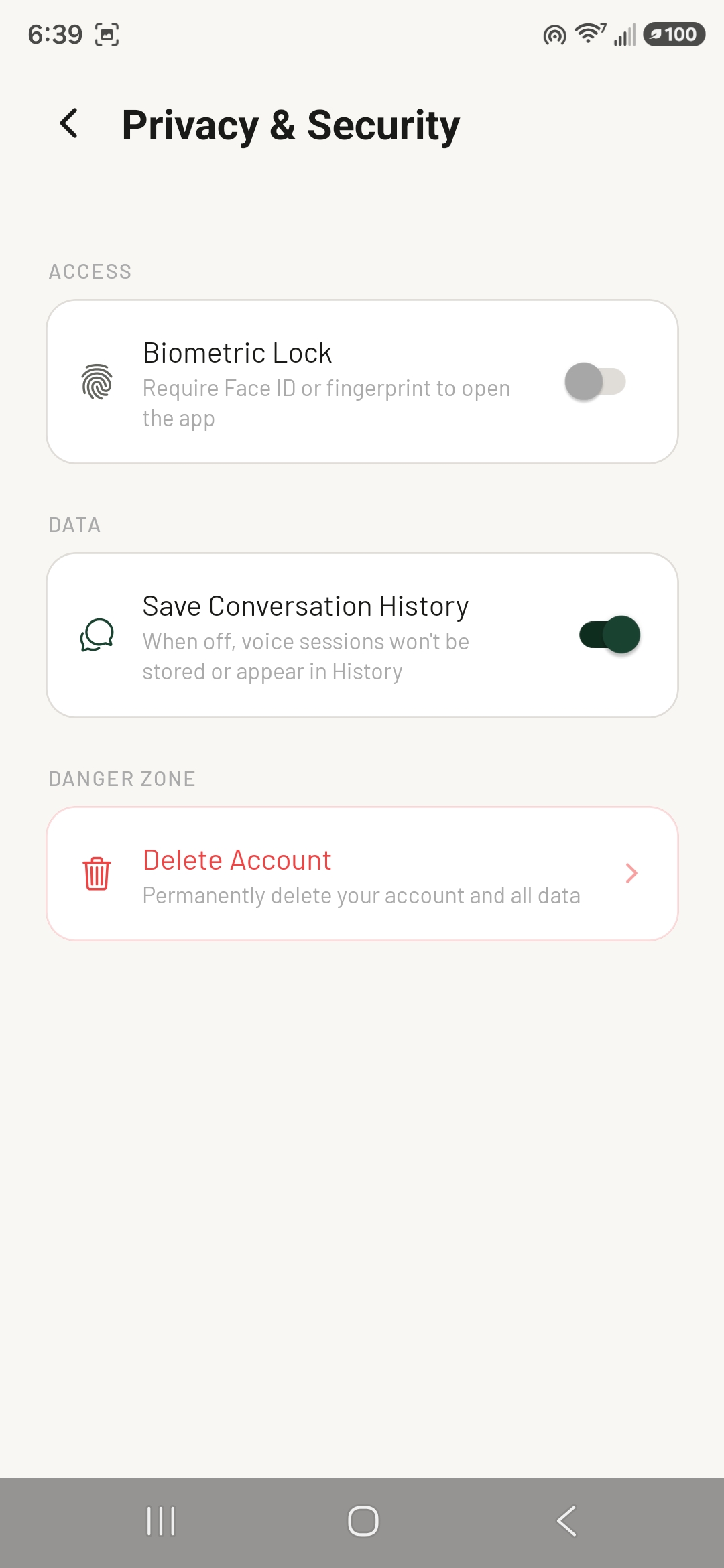
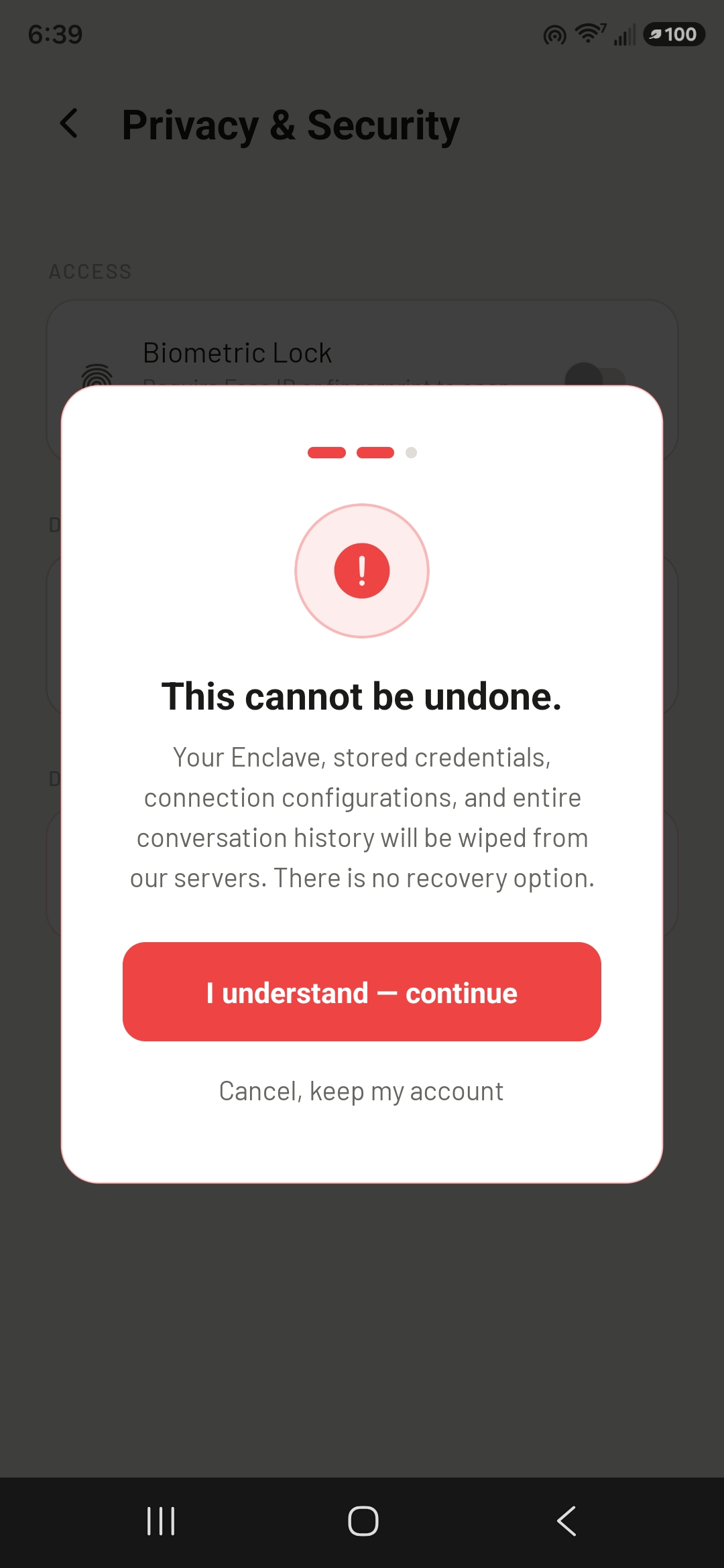
You can delete your account and all of your data directly from the Maven app — it’s quick and easy. Just remember that deletion is permanent and can’t be undone, so make sure it’s really what you want before you confirm.
Open Settings → Privacy & Security, then under Danger Zone tap Delete Account and confirm.
Request deletion by email
Send an email to support@generals.ai with the subject line “Data Deletion Request” from the email address associated with your account. To help us locate your account quickly, please include:
- The email address you used to sign up for Maven
- Your display name, if you set one
What gets deleted
When your request is processed, we permanently delete:
- Your account and profile information (email, display name, subscription status)
- Your conversation transcripts and session memory
- Credentials for any third-party services you connected (OAuth tokens, API keys)
- Action logs and session metadata tied to your account
Timeline
We will confirm receipt of your request and complete deletion within 30 days. Some information may be retained for a limited period where required by law (for example, transaction records for tax and accounting purposes), after which it is also deleted. Once deletion is complete, the action cannot be undone.
Questions
For any questions about deleting your data, contact support@generals.ai.
Edge Ventures, Inc. · Los Angeles, CA